
How the online 4x4 solver works
The 4x4 solver on cube-solver.com shows a 3D Rubik's Revenge that you can turn, scramble and solve. It opens with the 4x4 already selected; the Cube menu at the top also offers every size from 2x2 to 15x15. The menu on the right holds the tools: Color Picker, Solver, Patterns, Moves, Scramble and Reset.
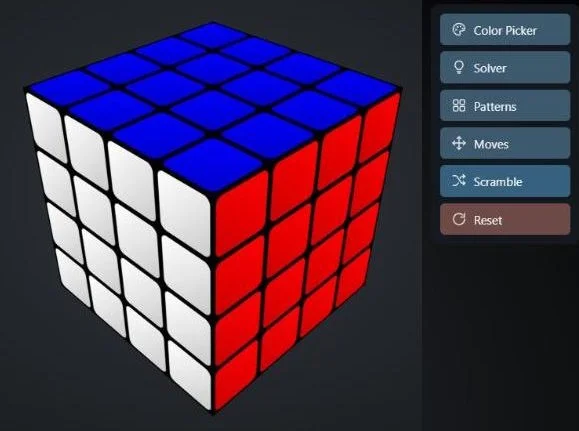
1. Paint your cube with the Color Picker
Hold your scrambled 4x4 and open the Color Picker. Choose one of the six colors (or press the keys 1 to 6), then click every sticker on the screen that has that color on your cube. Drag outside the cube to turn it around and reach the hidden faces. A 4x4 has 96 stickers, so take your time and check each face as you go.
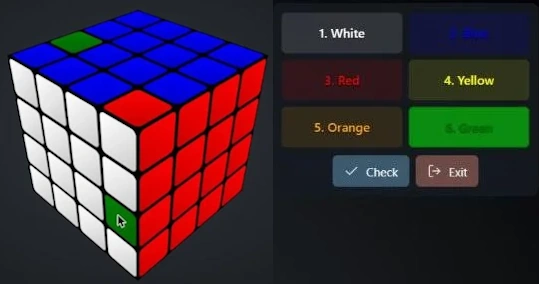
When you are done, press Check. The solver verifies that the colors make a real 4x4 position before it lets you continue, then press Solve. If you only want to try the solver, press Scramble instead to mix the cube at random.
2. Get the solution
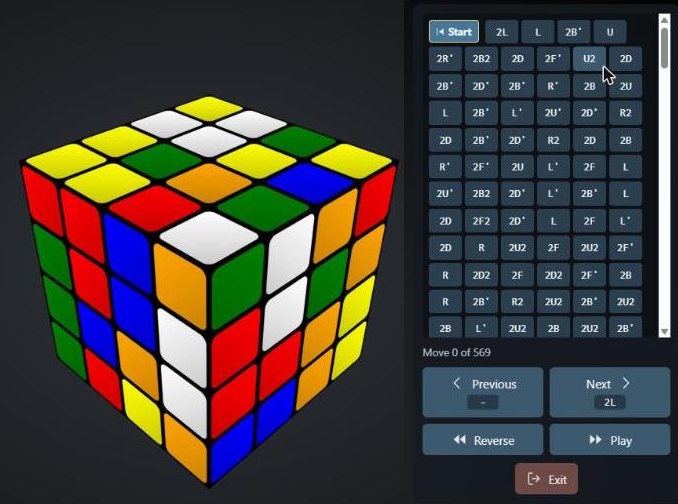
After Solve in the Color Picker, or the Solver button after a random scramble, the program calculates the moves and lists them as small buttons, with a counter that shows where you are, for example Move 0 of 569.
3. Follow the moves
Use Next and Previous to make one move at a time, or Play to watch the whole solution; the speed slider in the top left sets how fast it runs, and Reverse plays it backwards. Click any move in the list to jump straight to it. Keep your cube in the same orientation as the one on the screen and copy each turn.
Reading the 4x4 moves
The solver uses the same letters as the 3x3: F (front), B (back), U (up), D (down), L (left) and R (right). A letter on its own turns the outer layer of that face clockwise, a prime (L') turns it counterclockwise and a 2 (U2) means a half turn. A 4x4 also has inner layers, so a leading number picks a deeper layer: 2L turns the second layer from the left, not the outer one. A lowercase letter or a w (f or Fw) turns the outer and the inner layer together.
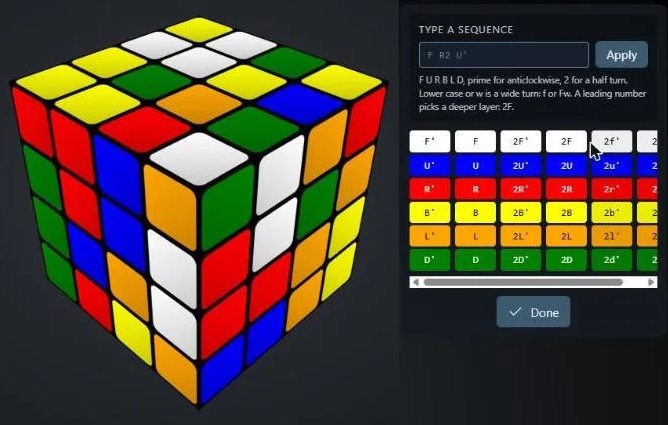
In the Moves menu you can type a sequence such as F R2 U' and apply it, or press a button for any single layer. You can also drag the faces and layers with the mouse or a finger, scroll to zoom, and undo or redo your own moves with the arrow buttons in the top left. The Patterns menu shows the moves that turn the cube into decorative patterns.
Why is the 4x4 solution so long?
Our 3x3 solver searches for the shortest possible solution. The 4x4 solver does not: it works like a person using the reduction method. It first groups the center pieces and pairs up the edges, then finishes the cube like a 3x3. That is reliable and easy to follow, but it takes several hundred moves; cube-solver.com estimates about 700 for a 4x4, and the example above needed 569. Use Play at a comfortable speed and pause whenever you need to.
How to solve the 4x4 yourself
Most people solve the Rubik's Revenge with the same reduction method. First build the four center squares of each face, then pair up the edge pieces, and finally solve the cube as if it were a 3x3. The only new thing to learn is parity: two special cases that can't happen on a 3x3, each fixed with one algorithm. Learn the 4x4 solution step by step.
New to cubes? Start with our 3x3 beginner's guide, because the last stage of the 4x4 uses the same steps. You can also try the 3x3 Rubik's Cube solver, the 2x2 solver and the Pyraminx solver.